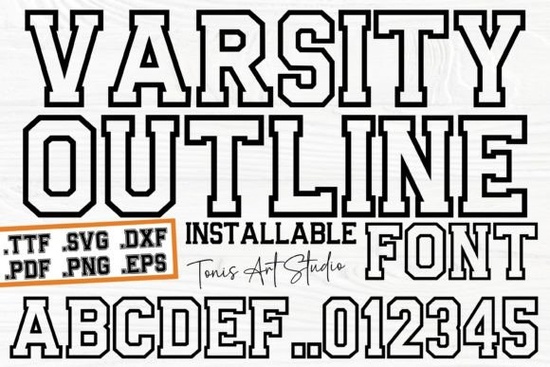
The Ab Varsity Outline Font is a solid choice for anyone who wants that classic, athletic lettering style. Whether you run a print-on-demand shop, craft with a Cricut, or design custom merchandise for clients, this varsity outline font gives you clean, bold letterforms that work across many project types. It ships with both SVG and TTF files, so you can start using it in your favorite software right away without converting anything.
Let's look at what this font offers and how to put it to good use.
What Can You Make With a Varsity Outline Font?
Varsity-style lettering never really goes out of style. You see it on sports jerseys, school merchandise, retro-themed posters, and team branding. The outline format adds another layer of flexibility because you can fill the letters with patterns, gradients, or solid colors depending on your design.
Here are some projects where this font works especially well:
- Team apparel jerseys, hoodies, and hats for school or rec league teams
- Print-on-demand products t-shirts, mugs, and tote bags with a sporty feel
- Graduation designs invitations, banners, and party decorations
- Wall art and posters college-style prints for dorms, offices, or game rooms
- Stickers and decals laptop stickers, car decals, and planner accessories
- Social media posts team announcements, event promos, and countdown graphics
Varsity fonts tend to sell well on platforms like Etsy and Redbubble, especially around back-to-school season, graduation, and football season. If you're building a product line, having a reliable athletic font in your collection saves you time on future designs.
What File Formats Does It Include?
This download comes with SVG and TTF files. Each format serves a different purpose:
- SVG files are the go-to for Cricut Design Space, Silhouette Studio, and other cutting machine software. They maintain clean, sharp edges at any size, which matters when you're cutting vinyl or working on detailed projects.
- TTF files install like any regular font on your computer. Once installed, you can type directly in Adobe Illustrator, Photoshop, Canva, or even Microsoft Word.
Having both formats in one download means you don't need extra conversion tools. You're covered whether you're doing digital design or hands-on crafting with a cutting machine.
How Does It Compare to Other Font Styles?
A varsity outline font has a specific personality it's bold, sporty, and a little nostalgic. It fills a different role than a clean sans serif like Sogo Font or a flowing script like the Butterfly Wildflower Font. Those work beautifully for minimalist branding or feminine designs, while a varsity font leans more athletic and energetic.
That said, pairing fonts is where things get interesting. Try using the varsity outline for your headline or main text, then bring in a simple sans serif for supporting details. This contrast keeps your design readable while making the key message pop.
Can You Use It for Products You Sell?
Before using any font commercially, check the license terms on the product listing. Creative Fabrica generally offers commercial-use licensing with their fonts, which is helpful if you're an Etsy seller, small business owner, or freelance designer. Read the specific details on the product page so you know exactly what's permitted.
Practical Tips for Working With Outline Fonts
Outline fonts behave a little differently than solid fonts. Here are some things to keep in mind:
- Layer your letters. Duplicate the text, offset one copy behind the other, and fill it with a contrasting color for a shadow or multi-tone effect.
- Pick bold, high-contrast colors. Thin outlines can get lost on busy backgrounds, so keep your color choices clean.
- Watch your sizing for vinyl cutting. Small, intricate details may not cut cleanly. Test at the final size before running a full production batch.
- Use a weeding box. When cutting outline letters in vinyl, adding a border around your design makes weeding much easier.
Before You Start Your Next Project
Use this quick checklist to get set up:
- Download both the SVG and TTF files
- Install the TTF font on your computer
- Import the SVG into your cutting software if you're working with a Cricut or Silhouette
- Choose a color palette that fits your project
- Test your design at the final output size
- Consider pairing with a complementary font for a polished, layered look
Whether you're making custom team gear, building out a product catalog, or just experimenting with new typefaces, this varsity outline font gives you a clean starting point that's easy to adapt to almost any athletic or school-themed project.
Try It Free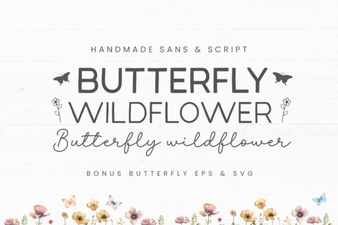 Butterfly Wildflower Font - Free Sans Serif Font Download
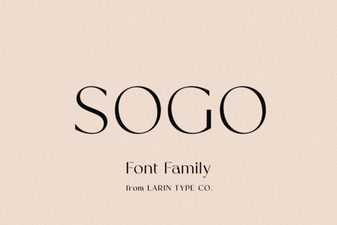 Sogo Font: Bold Modern Typography for Creative Design Projects
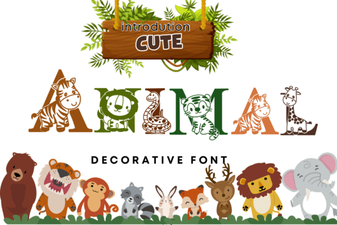 Cute Animal Font - Adorable Decorative Font for Fun Creative Designs
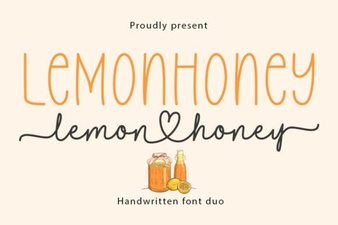 Lemonhoney Duo Font: a Playful Pairing for Creative Designs
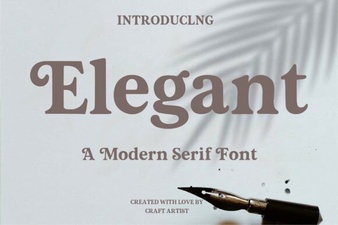 Elegant Font Styles to Elevate Your Design Projects
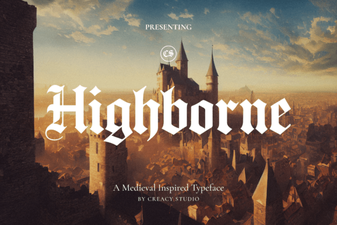 Highborne Font: Elegant Typography for Creative Design Projects